This guide walks you through uploading an object to an Object Storage bucket using the Azion Console, Azion API, Azion CLI, and Azion Runtime.
Uploading an object to a bucket
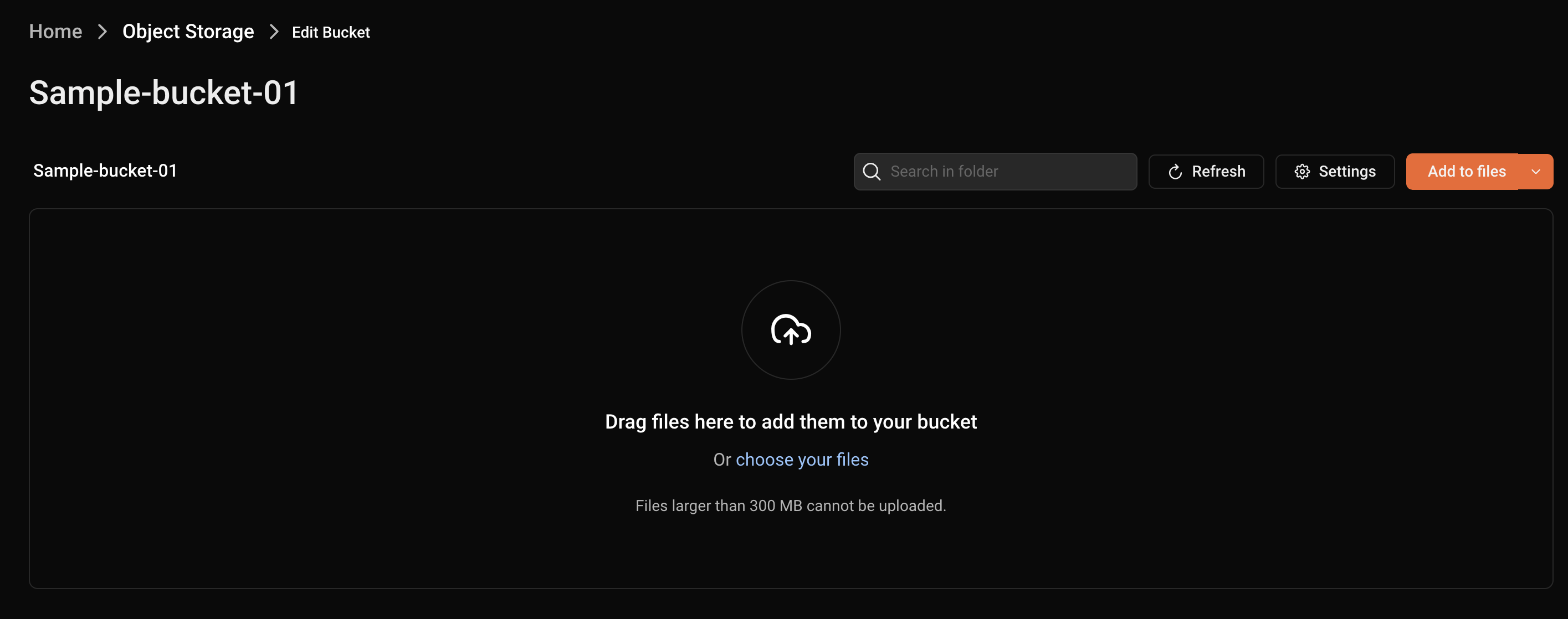
In the Azion Console, you can upload files to a bucket by following these steps:
- Access the Object Storage menu in the Products menu.
- On the Object Storage page, click on the bucket you want to update.
- Drag files to add them to your bucket or click the “Add to files” button.
To upload an object, run the following POST request in your terminal, replacing [TOKEN VALUE] with your personal token, <bucket_name> with the name of your bucket, <object_key> with an ID or name for the object, the Content-Type header with the MIME type being submitted, and the object sent as a data binary:
curl --location 'https://api.azion.com/v4/storage/buckets/<bucket_name>/objects/<object_key>' \
--header 'Accept: application/json;' \
--header 'Content-Type: text/csv' \
--header 'Authorization: Token [TOKEN VALUE]' \
--data '@./path/file.csv'
You should receive the following response:
{
    "state": "executed",
    "data": {
        "object_key": "folder/csv-file"
    }
}
Requirements
To upload an object to an Object Storage bucket:
azion create edge-storage object --bucket-name bucketname --source pathtoyourfile --object-key objectnameYou can create a function to upload objects to your bucket using a POST console command and see if an object is available using a GET console command. To do so:
- Access Azion Console > Functions.
- Click the + Function button.
- Name your function. Example:
my-bucket POST. - In the Code tab, add the following JavaScript code:
import Storage from "azion:storage";
async function handleRequest(event) {    try{        const bucket = “mybucket”        const storage = new Storage(bucket);        const key = "test";        const inputStream = event.request.body;        let contentLength = event.request.headers.get("content-length");        await storage.put(key, inputStream, { "content-length": contentLength });        return new Response("OK");    }catch(error){        return new Response(error, {status:500});    }}
addEventListener("fetch", (event) => { event.respondWith(handleRequest(event));});- Click the Save button.
Once you have the function ready, you need to create an applications that will proxy the upload process for the bucket and instantiate the function.
Go to Applications first stepsGo to how to instantiate an function