How to delete an object from an Object Storage bucket
This guide walks you through deleting an Object Storage bucket’s object using the Console, Azion API, Azion CLI, and Azion Runtime.
Deleting an object from a bucket
Access the Azion Console and follow the steps below:
- In the side menu, click on Object Storage.
- On the Object Storage page, click on the bucket you want.
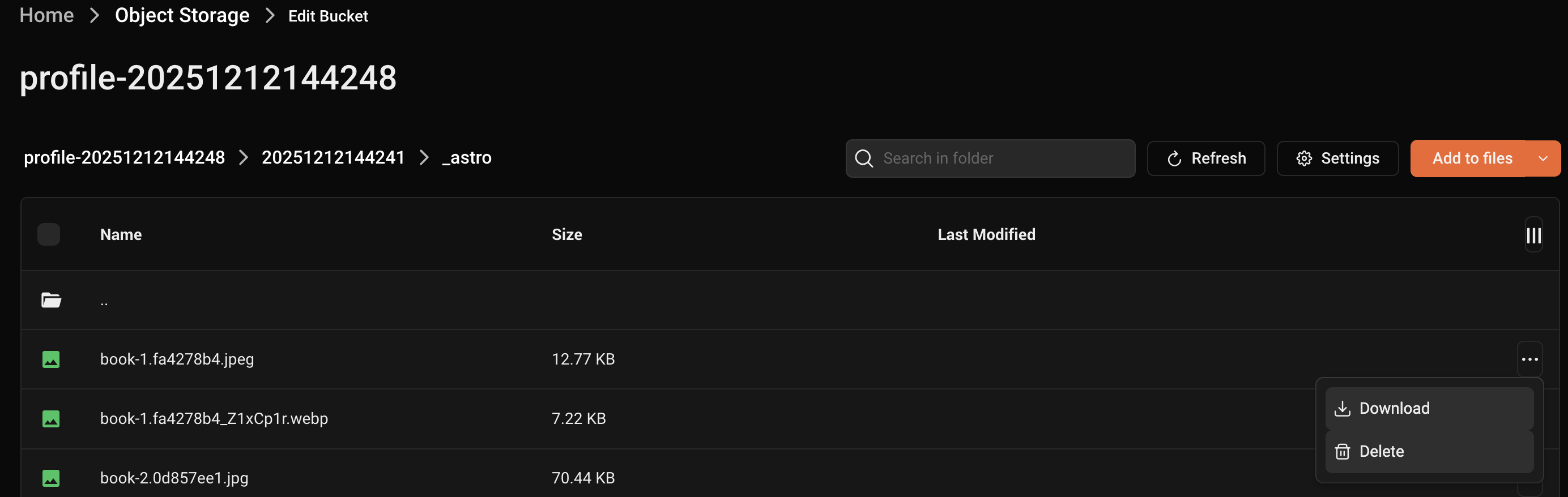
- In the object list, locate the object you want to delete.
- Click on the Context Menu (three dots icon) on the right side of the object and select Delete.
- In the popup, confirm the deletion when prompted.
Requirements
To delete an object:
azion delete edge-storage object --bucket-name bucketname --object-key objectnameYou can create a function to delete an object:
- Access Azion Console > Functions.
- Click the + Function button.
- Name your function. Example:
delete_object. - In the Code tab, add the following JavaScript code:
import Storage from "azion:storage";
async function handleRequest(event) {    const bucket = "mybucket";    const storage = new Storage(bucket);    const key = "test";    try{        await storage.delete(key);    }catch(error){        return new Response(error, {status:500});    }    return new Response("Ok");}
addEventListener("fetch", (event) => { event.respondWith(handleRequest(event));});- Click the Save button.
Once you have the function ready, you need to create an applications that will proxy the deleting process for the bucket and instantiate the function.
Go to Applications first stepsGo to how to instantiate an functionTo delete an object, run the following DELETE request in your terminal, replacing [TOKEN VALUE] with your personal token, <bucket_name> with the name of your bucket, <object_key> with an ID or name for the object:
curl --location --request DELETE 'https://api.azion.com/v4/storage/buckets/<bucket_name>/objects/<object_key>' --header 'Accept: application/json' --header 'Authorization: Token [TOKEN VALUE]'You should receive the following response:
{ "state": "executed", "data": { "object_key": "people-100.txt" }}