Object Storage and Blob Storage are flat storage architectures that eliminate hierarchical folder complexity to store unstructured data at unlimited scale. By attaching unique identifiers and rich metadata to each file, they enable fast, flexible retrieval in the cloud—but require careful attention to egress fees charged by traditional providers.
Every photograph uploaded to social media, every video streamed to a phone, every log file generated by a server, and every dataset used to train artificial intelligence models represents unstructured data. Unlike the neat rows and columns of a relational database, this data doesn’t fit into predefined schemas. It grows without bound, changes format without warning, and demands retrieval from anywhere in the world.
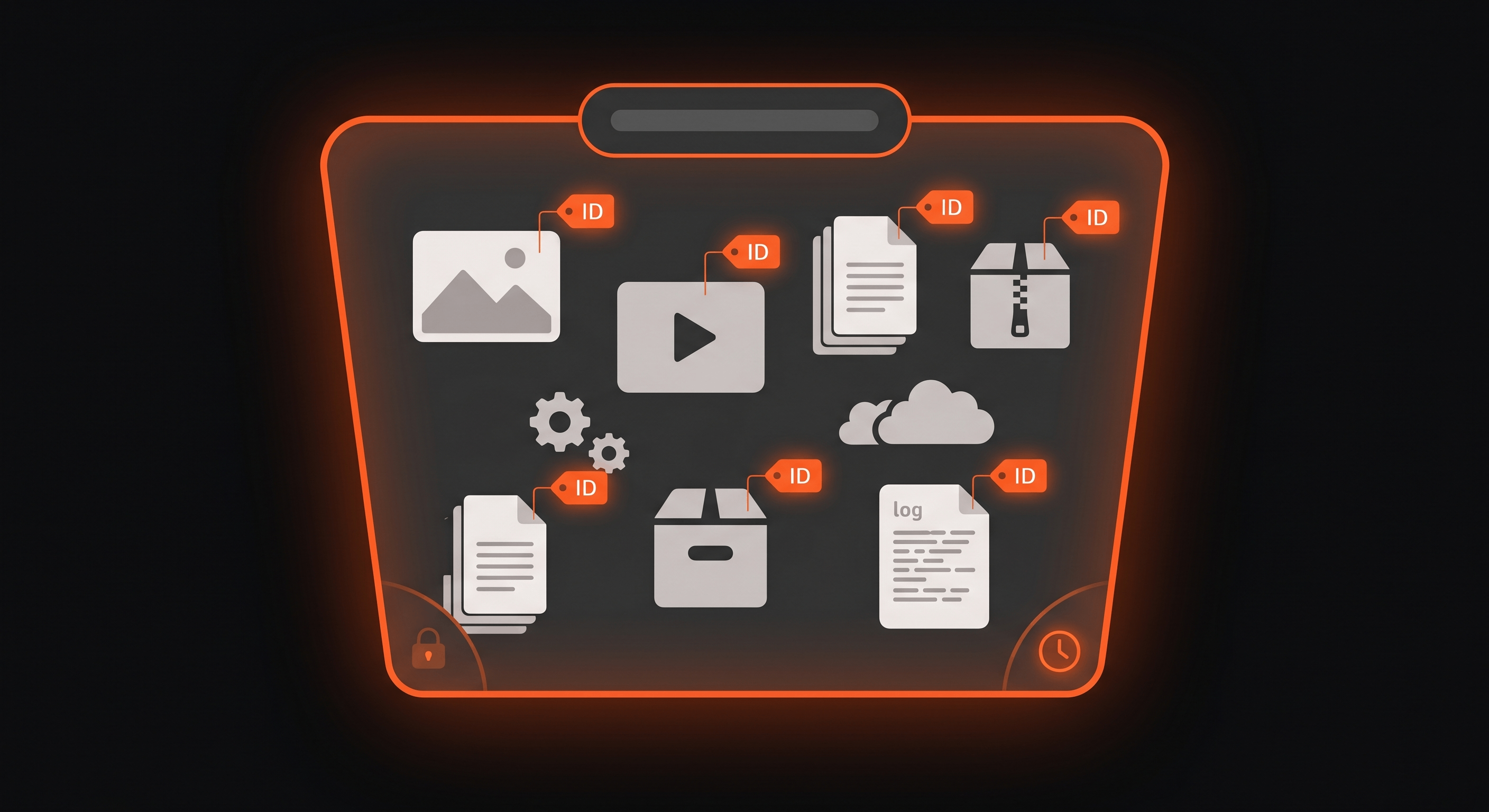
What is Object Storage? The Concept of Flat Storage
Object Storage is a storage architecture designed to hold massive volumes of unstructured data in a single logical space—a flat structure often called a data lake. Unlike traditional file systems that organize data into hierarchical folders and subfolders, Object Storage places all files at the same logical level, eliminating the complexity of directory paths.
The End of Folders and Directories
In a traditional file system, finding a file requires knowing its exact path: /departments/marketing/campaigns/2024/q1/images/banner.png. Each level of the hierarchy must be traversed. As the system grows, paths become longer, deeper, and more fragile—a single misplaced folder breaks the entire chain.
Object Storage eliminates this hierarchy. Every file—called an object—exists in a flat namespace within a logical container called a bucket. You don’t navigate to an object. You request it directly by its unique identifier.
Analogy: Imagine a traditional parking garage where you must remember: Level B2, Section C, Row 7, Space 42. That’s hierarchical storage. Now imagine a valet service. You hand over your car and receive a ticket with a unique number. When you return, you present the ticket. The valet retrieves your car instantly. You never needed to know where it was parked—the identifier was enough. That’s Object Storage.
The Three Elements of an Object
Every object stored in Object Storage contains three components:
Data (Payload): The actual file content—the image, video, PDF, or binary data. This is what you store and retrieve.
Metadata: Custom key-value pairs attached to the object. Unlike file systems that only store basic attributes (name, size, date modified), Object Storage lets you define arbitrary metadata: author: "Maria Silva", department: "marketing", content-type: "image/webp", retention: "7-years". This metadata travels with the object and enables sophisticated search and classification.
Unique Identifier (ID): A distinct string that serves as the object’s address. This ID—often a UUID or a hash-derived key—allows direct retrieval without navigating a directory structure. The system can locate any object in a pool of billions by its ID alone.
// Object structure conceptually{ "id": "a1b2c3d4-e5f6-7890-abcd-ef1234567890", "data": "<binary content of the file>", "metadata": { "filename": "product-hero-image.webp", "content-type": "image/webp", "size-bytes": 245760, "author": "design-team", "campaign": "spring-launch-2024", "created-at": "2024-03-15T10:30:00Z" }}Buckets: Logical Containers for Objects
A bucket is the logical container that holds objects. Buckets serve several purposes:
- Organization: Group related objects together (all product images, all user uploads, all compliance logs)
- Access control: Apply permissions at the bucket level
- Lifecycle policies: Define retention, archival, and deletion rules for all objects in a bucket
- Naming scope: Object IDs must be unique within a bucket, not globally
Bucket names typically follow naming conventions that make them recognizable and DNS-compatible:
// Common bucket naming patternsproduct-images-produser-uploads-eu-westcompliance-logs-7yearml-training-datasetsstatic-assets-cdnWhat is Blob Storage? Storing Raw Binary Data
What Does BLOB Mean?
BLOB stands for Binary Large Object. It refers to any data stored as a raw sequence of bytes—zeros and ones—without format requirements, structure constraints, or mandatory metadata.
Blobs include:
- Images: JPEG, PNG, WebP, AVIF files
- Video and audio: MP4, WebM, MP3, WAV files
- Executables and installers: .exe, .dmg, .apk files
- Compressed archives: .zip, .tar.gz, .7z files
- Database backups: SQL dumps, binary snapshots
- Log files: Application logs, audit trails, system events
- Machine learning datasets: Training data, model weights, embeddings
The defining characteristic of a blob is that the storage system doesn’t interpret its contents. The system stores bytes, retrieves bytes, and remains indifferent to what those bytes represent.
Blob Storage vs. Object Storage: Is There a Difference?
In commercial contexts, the terms are often used interchangeably. Conceptually, a distinction exists:
Blob is the data itself—a raw binary file that can exist without metadata or structured identification. A blob is what you store.
Object Storage is the architecture that manages blobs—organizing them into buckets, attaching identifiers and metadata, providing APIs for storage and retrieval. Object Storage is how you store blobs at scale.
Practical reality: When cloud providers offer “Blob Storage” or “Object Storage,” they typically provide the same capability: a flat storage system for binary files with API access. The difference is primarily marketing terminology, not technical architecture.
Common Use Cases for Blob Storage
Media hosting: Images, videos, and audio files for websites and applications. Object Storage serves as the origin for content delivery, with files cached at global Points of Presence for fast user access.
Backup and archival: Database dumps, configuration snapshots, and disaster recovery images stored durably with lifecycle policies that transition older backups to cheaper storage tiers.
Log aggregation: Application logs, audit trails, and system events collected from distributed infrastructure, stored for compliance and analysis.
Machine learning datasets: Training data, model artifacts, and embeddings stored at scale. AI workloads often read large sequential files—exactly what Object Storage optimizes for.
Static website hosting: HTML, CSS, JavaScript, and assets served directly from Object Storage, eliminating the need for traditional web servers for static content.
Object Storage vs. Block Storage vs. File Storage: What’s the Difference?
The storage market divides into three fundamental architectures, each optimized for different access patterns and workloads.
The Three Storage Models Explained
File Storage organizes data hierarchically using directories, subdirectories, and file paths. It’s the model your computer uses: folders inside folders, files inside folders. Access requires knowing the path or navigating the tree.
Best for: Shared file access in office environments, home directories, and applications where humans navigate the structure. Network-attached storage (NAS) systems use file storage protocols like NFS and SMB.
Block Storage divides files into fixed-size blocks of raw data, each with a logical address. The storage system doesn’t know what the blocks contain—it just reads and writes blocks at addresses. The operating system or application assembles blocks into files.
Best for: Databases, virtual machines, and applications requiring direct disk access with minimal latency. Block storage delivers the highest performance for transactional workloads.
Object Storage stores complete files as objects in a flat namespace, each with an identifier and metadata. No hierarchy, no block assembly, no path navigation—just direct retrieval by ID.
Best for: Unstructured data at scale—media files, backups, logs, and datasets where retrieval by identifier suffices and unlimited scale matters more than microsecond latency.
Comparative Table: Storage Models
| Aspect | File Storage | Block Storage | Object Storage |
|---|---|---|---|
| Structure | Hierarchical (folders/subfolders) | Fixed-size blocks with addresses | Flat (data lake with buckets) |
| Metadata | Basic (name, size, dates) | None (raw blocks only) | Rich and fully customizable |
| Scalability | Limited (path complexity at scale) | Difficult to scale horizontally | Virtually unlimited |
| Access method | Path navigation (NFS, SMB) | Block addresses (Fibre Channel, iSCSI) | API over HTTP (S3-compatible) |
| Best use cases | Shared files, home directories | Databases, virtual machines | Media, backups, logs, AI datasets |
| Latency | Low (local) to medium (network) | Lowest (direct disk access) | Low to medium (API call overhead) |
| Cost efficiency | Medium | High for performance | Highest for scale |
When to Choose Each Model
Choose File Storage when:
- Multiple users need shared access to the same file structure
- Applications expect traditional file paths and directory navigation
- You’re migrating legacy systems that depend on hierarchical organization
Choose Block Storage when:
- You need the absolute lowest latency for read/write operations
- Running databases or virtual machines that require direct disk access
- Transactional consistency depends on block-level operations
Choose Object Storage when:
- Storing petabytes of unstructured data
- Retrieval by identifier is sufficient for your access patterns
- You need rich metadata for search and classification
- Cost efficiency at scale matters more than microsecond latency
- Serving media through a content delivery network
What are Egress Fees? The Hidden Costs of Data Transfer
What is Egress?
Egress (also called data transfer out or network output) is the process of moving data out of a storage provider’s network. Every time your application reads a file from Object Storage and delivers it to a user, that’s egress.
Egress happens when:
- A user downloads an image from your application
- A content delivery network fetches content from your origin
- An analytics pipeline reads log files from storage
- A backup system replicates data to another region
- An API returns stored data in a response
The Egress Fee Trap
Traditional centralized cloud providers structure their pricing to attract data in and penalize data out. Storage costs—the price to hold data—appear low. But every retrieval triggers bandwidth charges.
This model creates a financial trap for applications that grow. The more users you serve, the more data you retrieve, the more you pay—not for storage, but for accessing your own data.
Vendor lock-in mechanism: High egress fees discourage moving data to other providers. The cost of extracting your data becomes a barrier to exit, creating artificial stickiness.
The Math: Calculating Real Egress Costs
Consider a media application or e-commerce platform serving images to users:
Scenario: 10 million image views per day, each image averaging 2MB.
Daily data transfer: 10,000,000 × 2MB = 20,000,000 MB = 20 TB per day
Monthly data transfer: 20 TB × 30 days = 600 TB per month
Egress cost calculation (at typical rates of $0.05 to $0.09 per GB):
- At $0.05/GB: 600,000 GB × $0.05 = $30,000 per month
- At $0.09/GB: 600,000 GB × $0.09 = $54,000 per month
This cost exists solely for retrieving data you already stored. It doesn’t include storage fees, compute costs, or any other service—just the bandwidth to deliver your files.
The compounding effect: As your application grows, these costs scale linearly with traffic. Double your users, double your egress bill. A successful application can become financially unsustainable due to retrieval costs alone.
Strategies to Avoid Egress Fee Lock-in
Choose providers with zero egress fees: Modern storage providers eliminate egress charges entirely, allowing unlimited data retrieval without per-gigabyte costs. This model aligns provider incentives with your success—your growth doesn’t penalize you.
Leverage distributed architecture: Deploy storage across global Points of Presence. When data exists close to users, retrieval doesn’t require cross-region transfer. Distributed storage with local read access reduces or eliminates the egress that triggers fees.
Implement intelligent caching: Cache frequently-accessed objects at the network edge. Each cached copy served locally avoids an egress event from central storage.
Plan for data portability: Architect your storage layer to support migration between providers. Use standard APIs (S3-compatible interfaces) rather than proprietary extensions. Ensure you can move your data without prohibitive costs.
S3 API Compatibility: The Universal Language of Object Storage
What is S3 Compatibility?
The S3 API (Simple Storage Service API) originated as the interface for a major cloud provider’s Object Storage service. Over time, it became the de facto standard for Object Storage communication. Nearly every modern Object Storage system implements S3-compatible APIs.
S3 compatibility means:
- Standard operations: PUT (upload), GET (download), DELETE, LIST, and HEAD (metadata retrieval) work consistently across providers
- SDK support: Existing client libraries for major programming languages work without modification
- Tool integration: Command-line tools, backup software, and data pipelines connect without custom adapters
Why S3 Compatibility Matters
Application portability: Code written for one S3-compatible storage system works with any other. You can develop against one provider and deploy to another without rewriting storage logic.
Avoiding vendor lock-in: When your application uses standard APIs, migrating to a different provider requires configuration changes, not code changes. Your data remains portable.
Ecosystem leverage: Thousands of tools, libraries, and integrations already speak S3. Compatibility means you inherit this ecosystem without additional development.
// S3-compatible upload works across providersimport { S3Client, PutObjectCommand } from '@aws-sdk/client-s3';
const client = new S3Client({  region: 'auto',  endpoint: 'https://your-storage-endpoint.com',  credentials: { accessKeyId: 'key', secretAccessKey: 'secret' }});
await client.send(new PutObjectCommand({  Bucket: 'product-images',  Key: 'hero-banner.webp',  Body: imageBuffer,  ContentType: 'image/webp',  Metadata: { 'campaign': 'spring-2024', 'author': 'design-team' }}));
Object Storage on Distributed Architecture
The Latency Problem with Centralized Storage
Traditional Object Storage operates from centralized datacenters. When a user in São Paulo requests an image stored in Virginia, the request travels across continents, incurring physical propagation delay. A single page load might trigger dozens of object retrievals—each adding latency.
Distributed Object Storage: Data Close to Users
Deploying Object Storage on a distributed architecture replicates data across global Points of Presence. Users retrieve objects from nearby locations, not distant datacenters.
This architecture delivers:
- Reduced latency: Objects travel meters instead of thousands of kilometers
- Higher availability: Multiple copies exist across geographic regions
- Lower bandwidth costs: Local retrieval avoids cross-region transfer
- Data sovereignty: Objects can reside within specific jurisdictions for compliance
How Distributed Object Storage Works
Write pattern: Objects upload to the nearest Point of Presence. The system replicates the object asynchronously to other regions. Write confirmation returns quickly, with eventual consistency across the global network.
Read pattern: Requests route to the nearest replica. If the local PoP holds the object, retrieval happens instantly. If not, the system fetches from another region and caches locally.
Consistency model: Most distributed Object Storage systems offer eventual consistency—updates propagate within seconds or minutes. For media files, backups, and logs, this delay is acceptable. For transactional data requiring immediate consistency, databases remain the appropriate choice.
Mini FAQ: Quick Reference
What is S3 API compatibility?
S3 API compatibility means a storage system implements the same HTTP-based interface that originated with a major cloud provider’s Object Storage service. This standardization allows applications to use the same SDKs, tools, and code across different storage providers. PUT, GET, DELETE, LIST, and HEAD operations work consistently, enabling portability and reducing vendor lock-in.
What is a bucket in Object Storage?
A bucket is a logical container that holds objects. Buckets organize related data, define access permissions, and apply lifecycle policies. Object identifiers must be unique within a bucket. Bucket names are typically DNS-compatible and follow naming conventions like product-images-prod or user-uploads-eu-west.
Can I run a relational database directly on Object Storage?
Running a transactional database directly on Object Storage is not recommended for high-write workloads. Object Storage optimizes for sequential access and large files, not the random read/write patterns databases require. However, Object Storage excels for analytical workloads using columnar formats like Apache Iceberg, Parquet, or Delta Lake—common in data lakes and machine learning pipelines.
How does distributed architecture optimize Object Storage?
Distributed architecture places object replicas at global Points of Presence close to users. Retrieval happens locally, reducing latency from hundreds of milliseconds to single digits. This architecture also reduces egress costs by avoiding cross-region data transfer and enables data sovereignty compliance through regional placement policies.
What’s the difference between Object Storage and a content delivery network?
Object Storage is the origin—the authoritative source where files reside. A content delivery network (CDN) caches copies of those files at Points of Presence for fast delivery. In distributed architectures, Object Storage and CDN functionality often converge: objects replicate to PoPs and serve directly, blurring the distinction between origin and edge.
How do I calculate storage costs vs. egress costs?
Storage costs are typically charged per gigabyte per month (e.g., $0.01/GB/month). Egress costs are charged per gigabyte transferred out (e.g., $0.05-0.09/GB). For a 2MB image viewed 10 million times monthly: 20TB storage (one-time upload) costs ~$200/month to store, but 600TB monthly egress costs $30,000-54,000/month. Egress typically dominates costs for read-heavy workloads.
Key Takeaways
- Object Storage uses a flat architecture that eliminates hierarchical folder complexity, storing files as objects with unique identifiers and rich metadata in logical containers called buckets.
- Blob Storage stores raw binary data without format requirements or mandatory metadata. In practice, Blob Storage and Object Storage are often synonymous terms for the same capability.
- Object vs. Block vs. File Storage: Choose Object for scale and unstructured data, Block for performance and databases, File for shared access and human navigation.
- Egress fees can dominate storage costs for read-heavy applications. A media application serving 10 million 2MB images daily faces $30,000-54,000 monthly in egress charges alone.
- S3 API compatibility provides a universal interface for Object Storage, enabling application portability and avoiding vendor lock-in through standard operations and SDK support.
- Distributed architecture brings Object Storage close to users, reducing latency, improving availability, and minimizing the egress events that trigger fees.
Conclusion
Object Storage and Blob Storage redefined how modern applications handle unstructured data. By eliminating hierarchical complexity and enabling unlimited scale with rich metadata, flat storage architectures became the foundation for media delivery, backup systems, log aggregation, and AI datasets.
For architects and developers, the critical insight extends beyond storage costs. Egress fees—the charges for retrieving your own data—can transform a successful application into a financial burden. Understanding this cost structure and choosing providers that eliminate egress fees or leverage distributed architecture protects both budget and portability.
As data volumes grow and AI workloads demand ever-larger training sets, Object Storage on distributed infrastructure delivers the combination of scale, cost efficiency, and global performance that modern applications require.
For implementations requiring Object Storage with global distribution and zero egress fees, Object Storage provides serverless file storage positioned at Points of Presence worldwide.
Related Topics
Continue exploring the Storage and Database cluster:
- What is Storage and Database? — The complete landscape of data storage technologies
- What is a Relational Database? — SQL, ACID properties, and structured data
- What is NoSQL and Key-Value Store? — Non-relational databases explained
- What is a Vector Database? — The brain of AI applications
- What is Database Security? — SQL injection and breach prevention