Object Storage
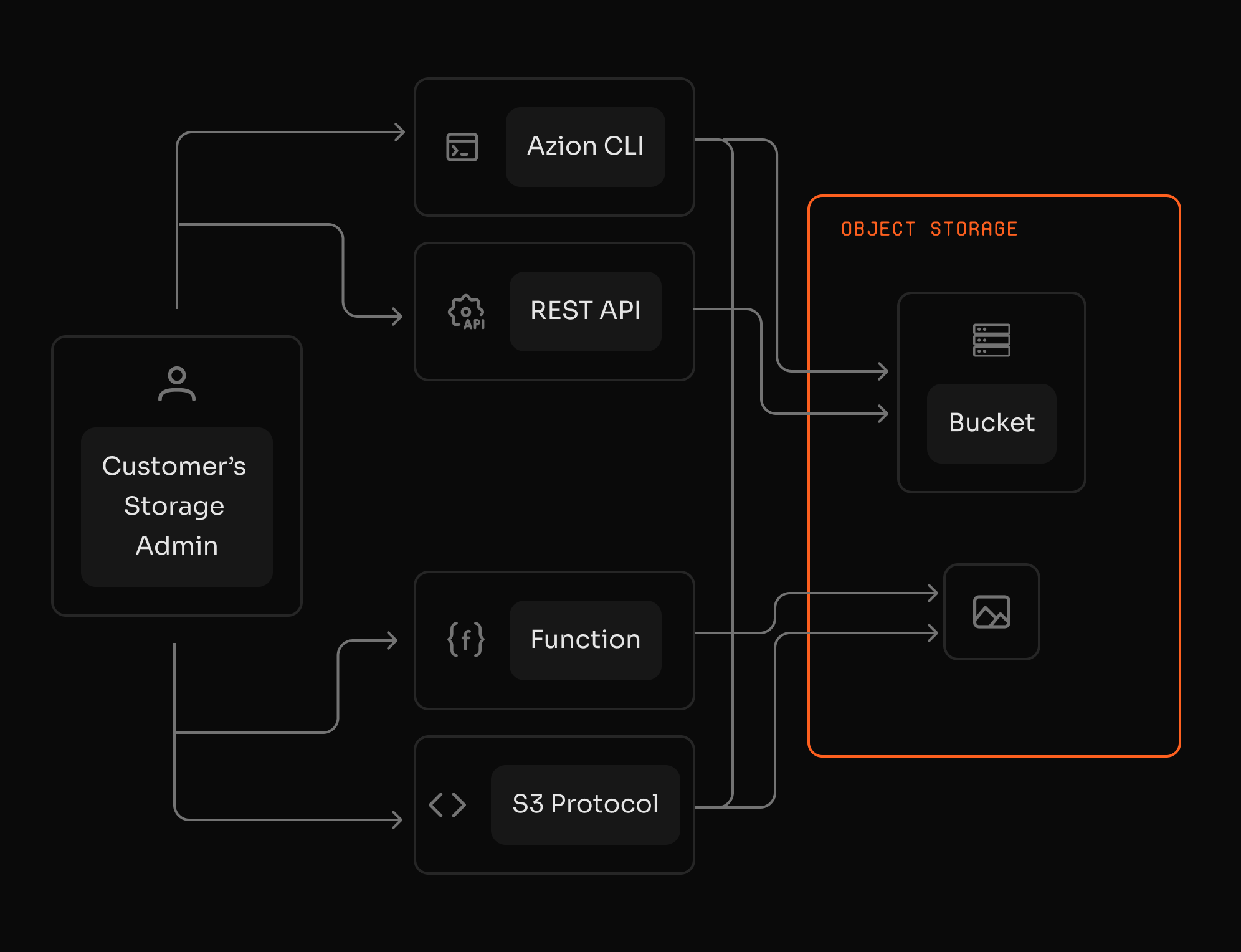
Store data, media, and logs with S3 compatibility. Use buckets as origin in Applications and integrate with Functions without egress costs.

egress fees between Azion services
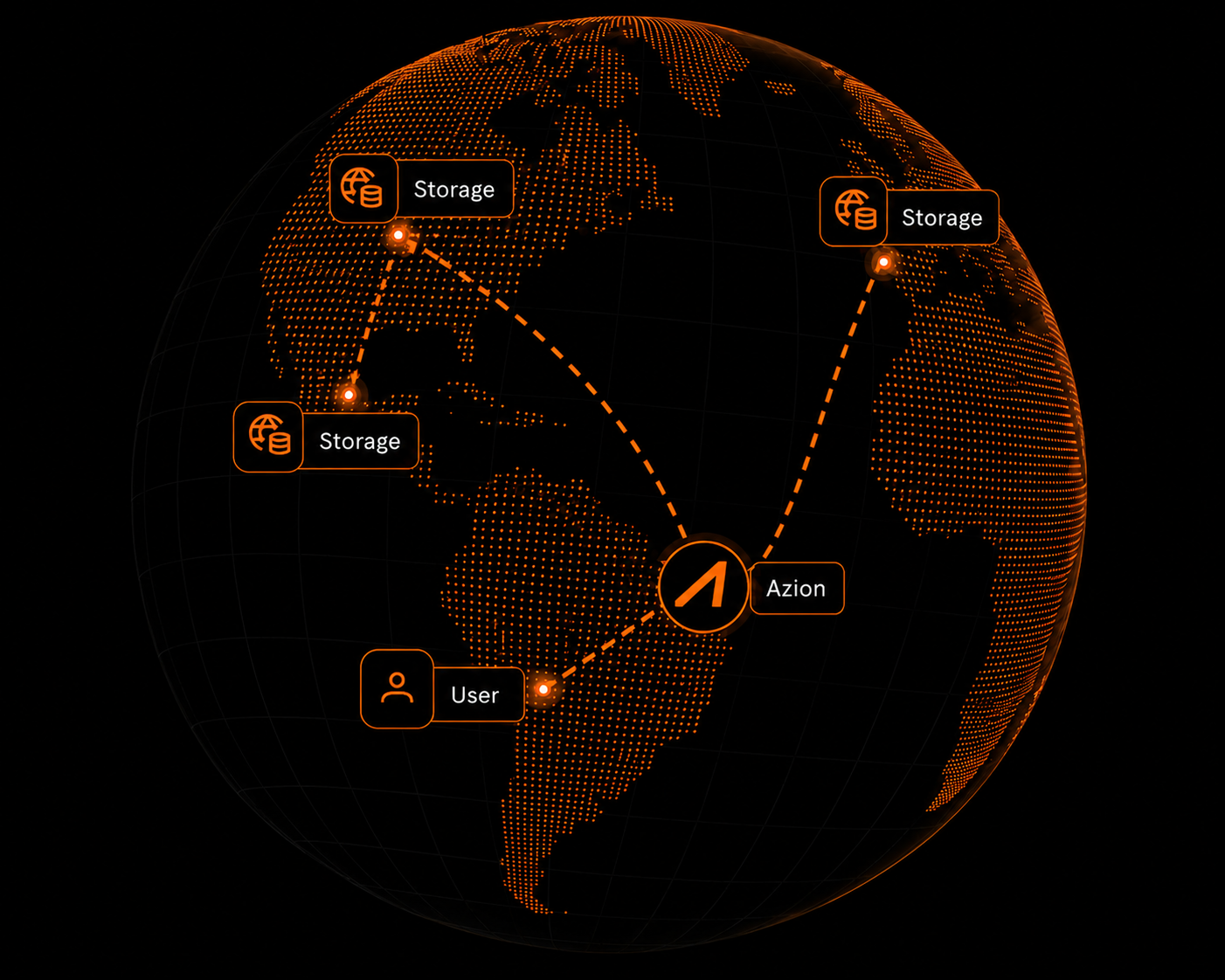
availability with distributed architecture
S3-compatible—use your existing tools
Reduce storage costs
Pay per GB stored per month and scale with actual usage and no fixed infrastructure commitments.
Ensure data availability
Build resilience for applications and data with a distributed architecture designed to reduce downtime and keep object access fast and reliable.
No lock-in with an S3-compatible API
Integrate with existing tools, SDKs, and pipelines using an S3-compatible API.
Maintain control and portability without being tied to a single provider.

"20% cost reduction with Object Storage, combining reliable file storage with enhanced performance on Azion’s distributed infrastructure."
Mateus Leonardi
CTO at HeroSpark
S3-compatible object storage, unified on a single platform.
Migrate objects without changing your code
Migrate objects from existing S3 providers without rewriting your application. Object Storage exposes an S3-compatible API, so your current clients and scripts keep working.
S3-compatible Easy migration Credential-based SDK support

After migration, simplify delivery and processing on one platform
Connect data to Applications and Functions with no egress cost. Use buckets as origin and process data for validation and enrichment.
Applications origin Functions integration No egress fees Single platform

Object Storage use cases
Frequently Asked Questions
What is Object Storage?
Azion Object Storage is S3-compatible storage for unstructured data. Key features include: zero egress fees between Azion services, 99.9% availability, bucket-as-origin for static sites, multipart upload support, and native Functions integration. Store files, media, logs, and application assets with predictable costs.
What is a bucket in Object Storage?
A bucket is a top-level container used to organize objects. Buckets can also be used as an origin for Applications, including static site delivery.
What is an object key and can it be changed?
An object key is the unique identifier used to retrieve an object inside a bucket. The key can't be changed; uploading a new object using the same key replaces the existing object.
How do prefixes work if buckets don't have folders?
Prefixes simulate folder hierarchy by using slashes in object keys. This helps you organize content (for example, src/assets/images/...) and control how content is served when using a bucket as an origin.
How can I access Object Storage using the S3 protocol?
Create an S3 credential for a bucket to obtain an access key and secret key, then configure your S3-compatible tools to use Azion's Object Storage endpoint. Permissions are controlled by the capabilities set on the credential.
Which operations are supported via API and via S3 compatibility?
Object Storage supports core operations for buckets and objects such as create, list, update permissions, upload, download, copy, and delete. For large objects and transfers, S3-compatible multipart upload operations are also supported.
What are the default limits for Object Storage?
Default limits include up to 100 buckets per account and a default ListObjects limit of up to 1,000 objects per request. Limits can be increased depending on your plan.
Can I use Object Storage as an origin for Applications?
Yes. You can configure a bucket as an origin for Applications and choose whether to serve content from the bucket root or a specific prefix, which is useful for static sites and asset hosting.
Can I access Object Storage from Functions?
Yes. Functions can interact with Object Storage through the Storage API, allowing you to read, write, delete, and list objects programmatically.
How do I safely manage read-write access?
Buckets can be configured with different access permissions. If you enable read-write access, ensure you control who can write objects—often by mediating writes through Functions where you can enforce authentication and validation.
Access to all features.