Object storage built for scale, speed, and simplicity
Store static assets, user uploads, backups, and application data with a reliable storage layer designed for modern applications.
Eliminate egress fee surprises
Pay only for storage and operations. Transfer data to Functions and Applications with zero egress cost.
Host static sites directly
Serve JAMstack sites and SPAs from buckets. No servers to provision, no separate hosting to configure.
Handle large files reliably
Upload videos, datasets, and backups with multipart support. Resume interrupted transfers and stream large objects without timeout issues.

















Connect Object Storage to your stack
Manage Object Storage through Azion Console, CLI, or S3-compatible API. Use standard tools like AWS CLI, rclone, and Terraform for seamless integration.
Console CLI S3 API Terraform
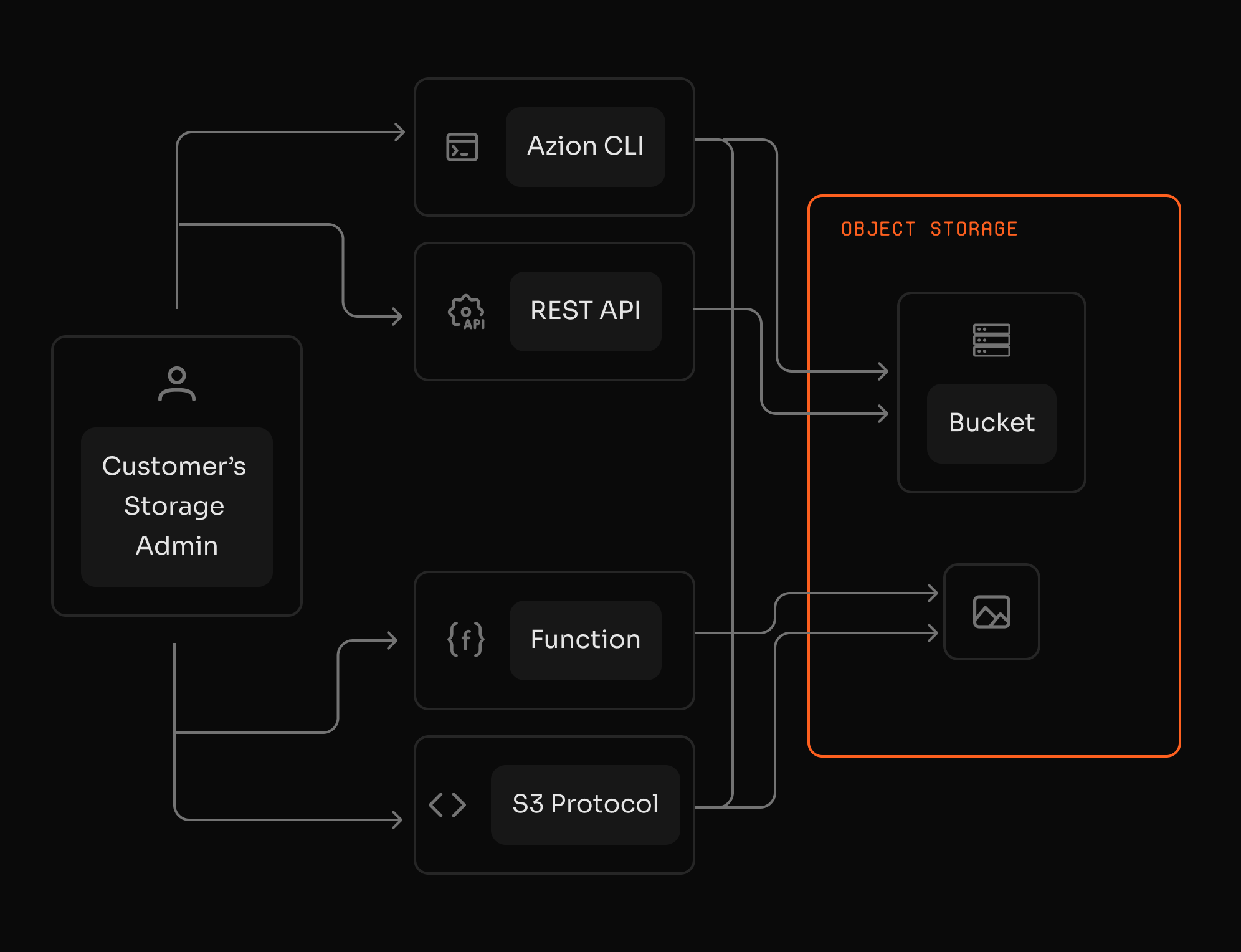
Migrate from S3 without rewriting code
Move objects from AWS S3, Cloudflare R2, or any S3-compatible provider without code changes. Object Storage exposes a standard S3 API, so your current clients, scripts, and SDKs work immediately.
S3-compatible API Drop-in migration Standard credentials SDK support
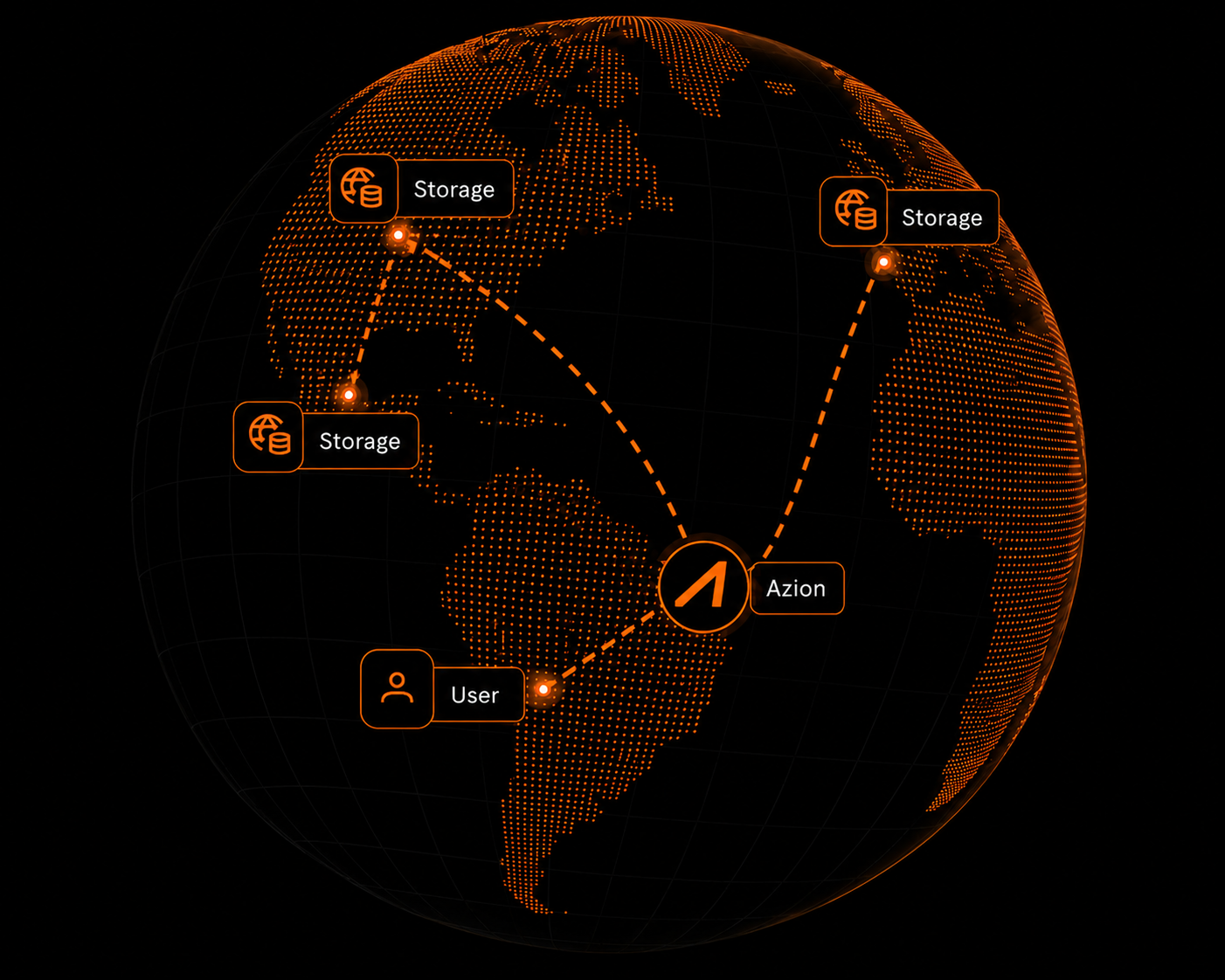
From storage to full application delivery
Object Storage integrates with Cache, Functions, and Applications for complete content delivery workflows.
Learn More
Object Storage use cases


"20% cost reduction with Object Storage, combining reliable file storage with enhanced performance on Azion’s distributed infrastructure."
Mateus Leonardi
CTO at HeroSpark
Frequently Asked Questions
What can I store in Object Storage?
Azion Object Storage is S3-compatible storage for unstructured data. Key features include: zero egress fees between Azion services, 99.9% availability, bucket-as-origin for static sites, multipart upload support, and native Functions integration. Store files, media, logs, datasets, and application assets with predictable costs.
How does Object Storage compare to Cloudflare R2?
Both offer S3-compatible storage with zero egress fees. Azion Object Storage integrates directly with Functions and Applications on the Azion Web Platform with 99.9% availability SLA. Cloudflare R2 offers R2 Data Catalog for SQL analytics and deeper Workers ecosystem integration. Choose Azion for simpler platform integration. Choose R2 if Data Catalog or Workers bindings are required.
How do I migrate from AWS S3 or Cloudflare R2?
Create S3 credentials for your Azion bucket, then use standard S3 tools (AWS CLI, rclone, boto3) to copy objects. Point your existing applications to Azion's endpoint with the new credentials. No code changes required—Object Storage uses the same S3 API.
How do buckets organize my data?
A bucket is a top-level container used to organize objects. Buckets can be configured as an origin for Applications, enabling static site hosting and asset delivery. Each bucket has configurable access permissions and S3 credentials.
Can I use Object Storage as an origin for Applications?
Yes. Configure a bucket as an origin for Applications to serve static sites, HTML, CSS, JavaScript, and other assets. Choose to serve from the bucket root or a specific prefix. Integrate with Cache for performance optimization.
Can Functions access Object Storage?
Yes. Functions can interact with Object Storage through the Storage API, enabling you to read, write, delete, and list objects programmatically. This allows data processing, validation, and transformation without egress fees within the platform.
What operations are supported via S3 API?
Object Storage supports core S3 operations: create and delete buckets, list buckets and objects, upload, download, copy, and delete objects. Multipart upload is supported for large objects. Use standard S3 tools or the AWS SDK.
Are there egress fees for Object Storage?
Zero egress fees between Azion services. Data transferred between Object Storage and Functions or Applications incurs no egress cost. This applies to all operations: serving static sites, processing data, or delivering media.
What are the default limits for Object Storage?
Default limits include up to 100 buckets per account and a default ListObjects limit of up to 1,000 objects per request. Limits can be increased depending on your plan. Contact support for enterprise requirements.
How do I secure access to my buckets?
Create S3 credentials with specific capabilities (read, write, delete) per bucket. Control who can access objects by mediating through Functions where you can enforce authentication and validation. Configure bucket-level access permissions.
A full-stack platform that scales instantly
Access to all features.