Find your account's API version
Check in Azion Console whether your account runs on API v3 or API v4, then pick that version in the documentation to see only the pages that apply to you.
You can find out whether your account runs on API v3 or API v4 from the Azion Console menu. API v4 reaches accounts in waves, so an account can still run on API v3 while other accounts already run on API v4.
Prerequisites
- Access to Azion Console.
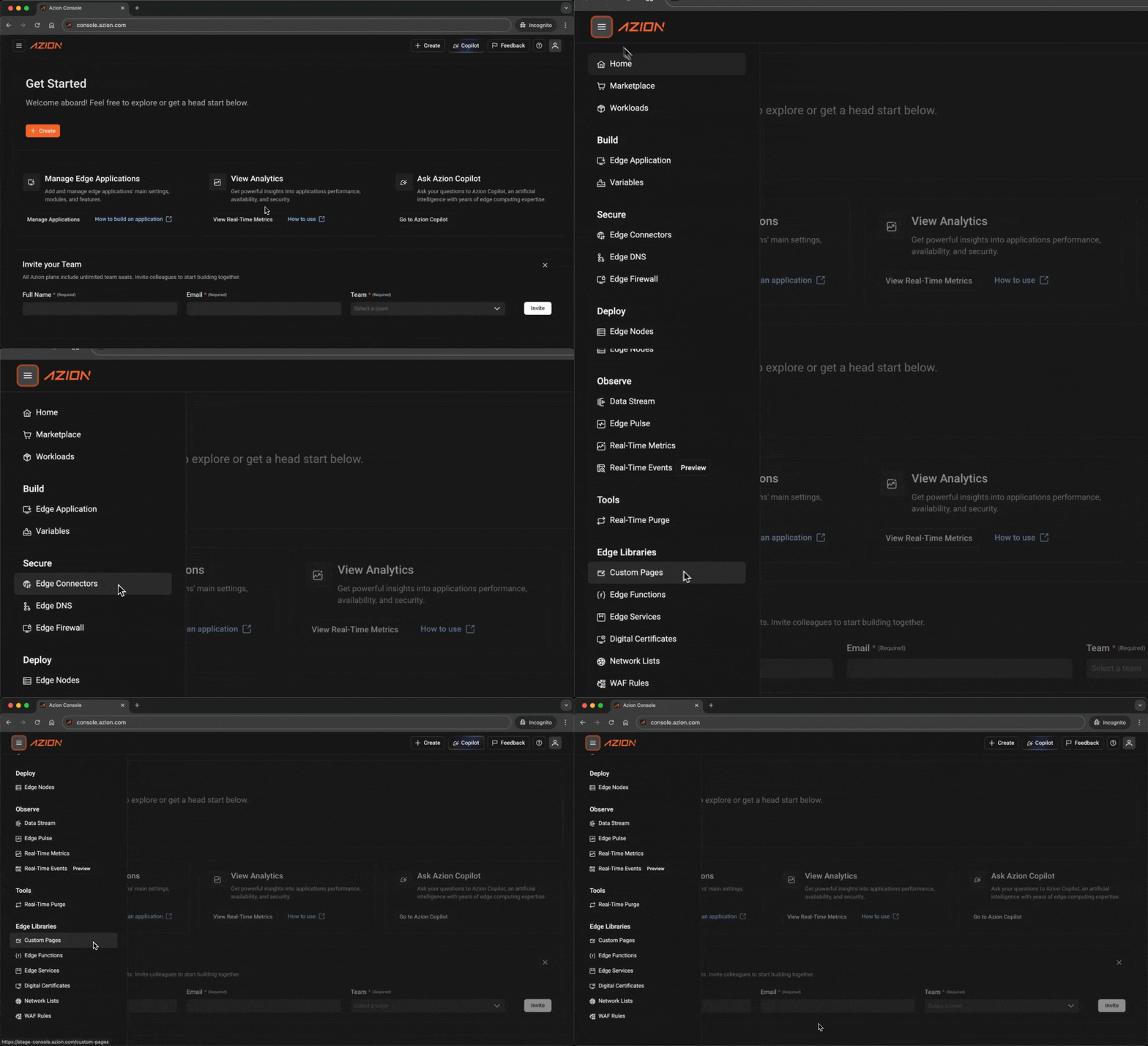
Check the Console menu
The Azion Console menu lists the Platform Resources your account has. To check it:
- Access Azion Console.
- Open the Console menu.
- Look for Workloads, Connectors, or Custom Pages.
If the menu lists any of them, your account runs on API v4. If the menu does not list Workloads, your account still runs on API v3.
Pick your version in the documentation
The documentation filters its pages by API version. To see only the pages that apply to your account:
- Open the Platform version select in the documentation header, between the search and GitHub. On a narrow screen, open the navigation menu and use the Version row, above Theme.
- Select v4.x for API v4 or v3.x for API v3, the version you found in the Console menu.
The sidebar menu then lists only the pages for that version. A page that applies only to API v3 says so in a banner under its title.